Download
Download the free script for 3dsmax here.
Install
- Drag the script into your 3dsmax viewport.
- Customize > Customize User Interface > Toolbars > Category: Vella > Automate CoronaRandomizer
- Drag this toolbar button somewhere in your UI/Toolbars
Description
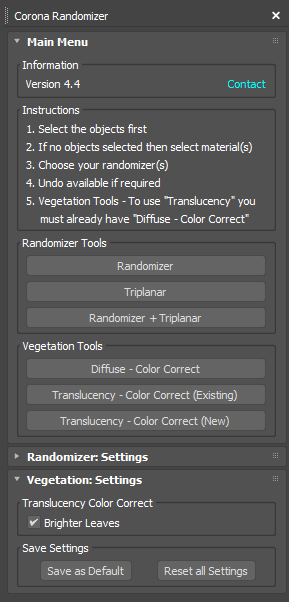
Now includes Vegetation Tools. As well as all previous tools.
These tools work differently from the Randomizer Tools, see below for details.
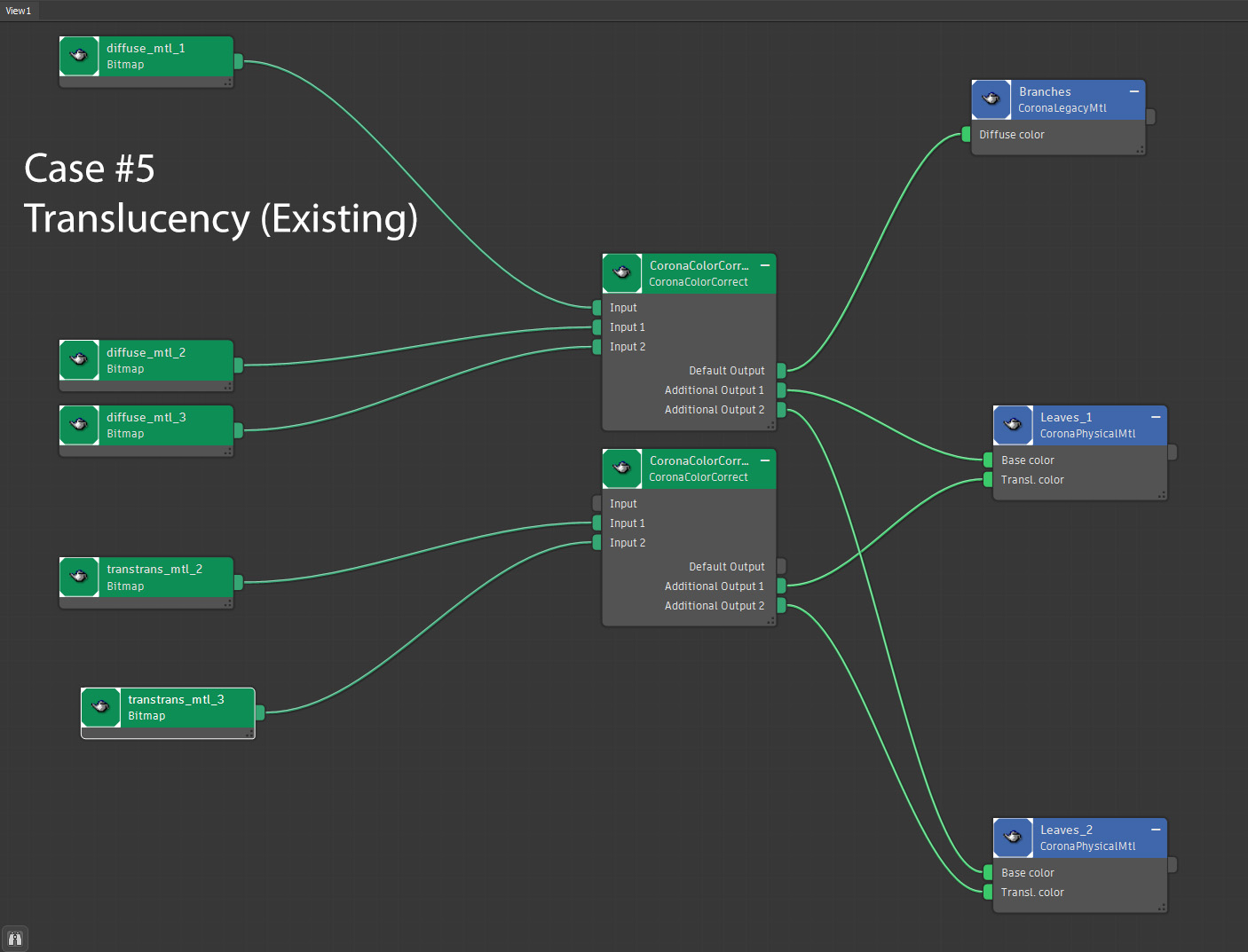
Diffuse – Color Correct: If you select multiple objects or materials then all the diffuse textures will be combined into one Color Correct. This way you can adjust all the Diffuse colors together. Useful for vegetation if you want to increase brightness of all leaves, desaturate etc.
Tranlucency must have a Diffuse – Color Correct applied first to work!
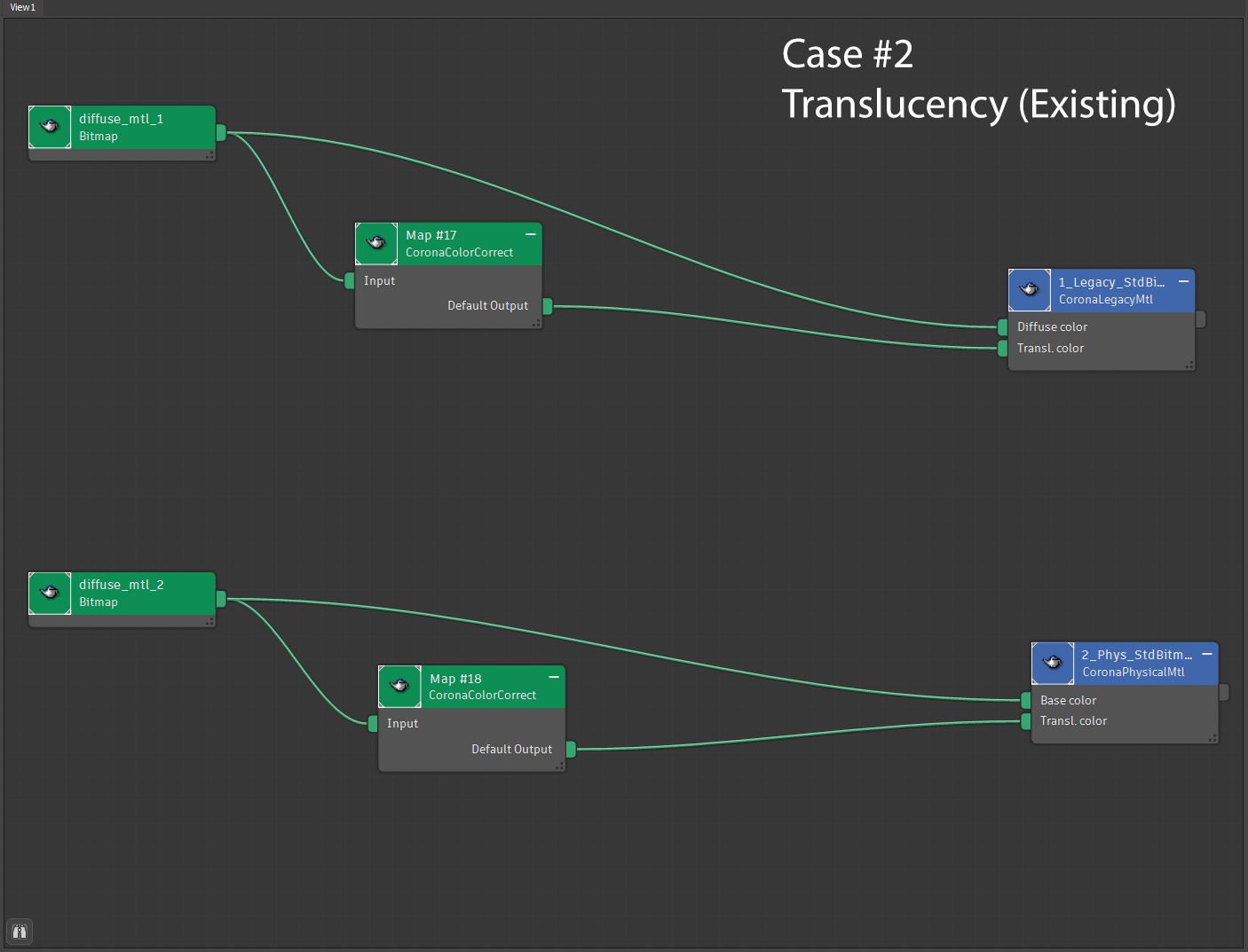
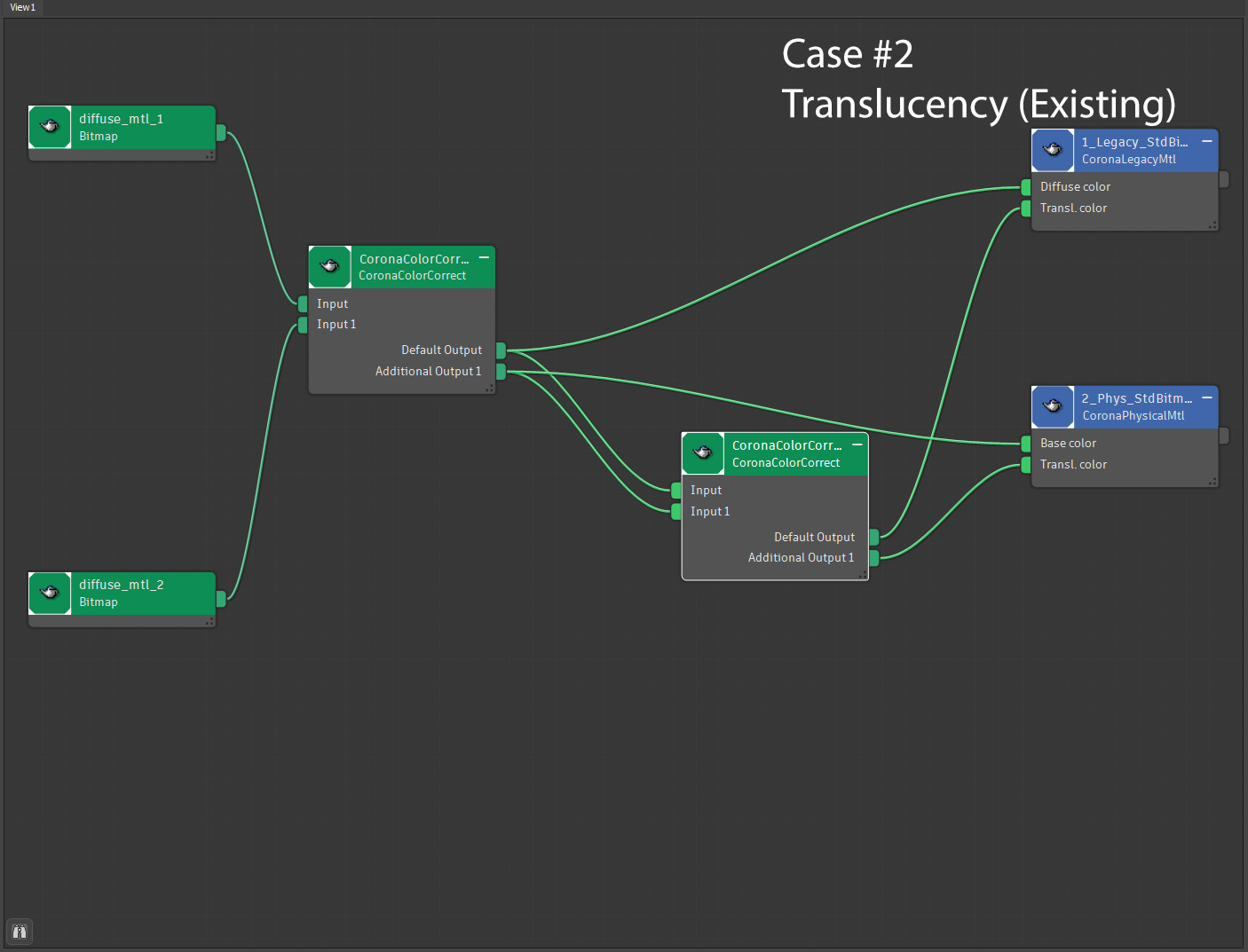
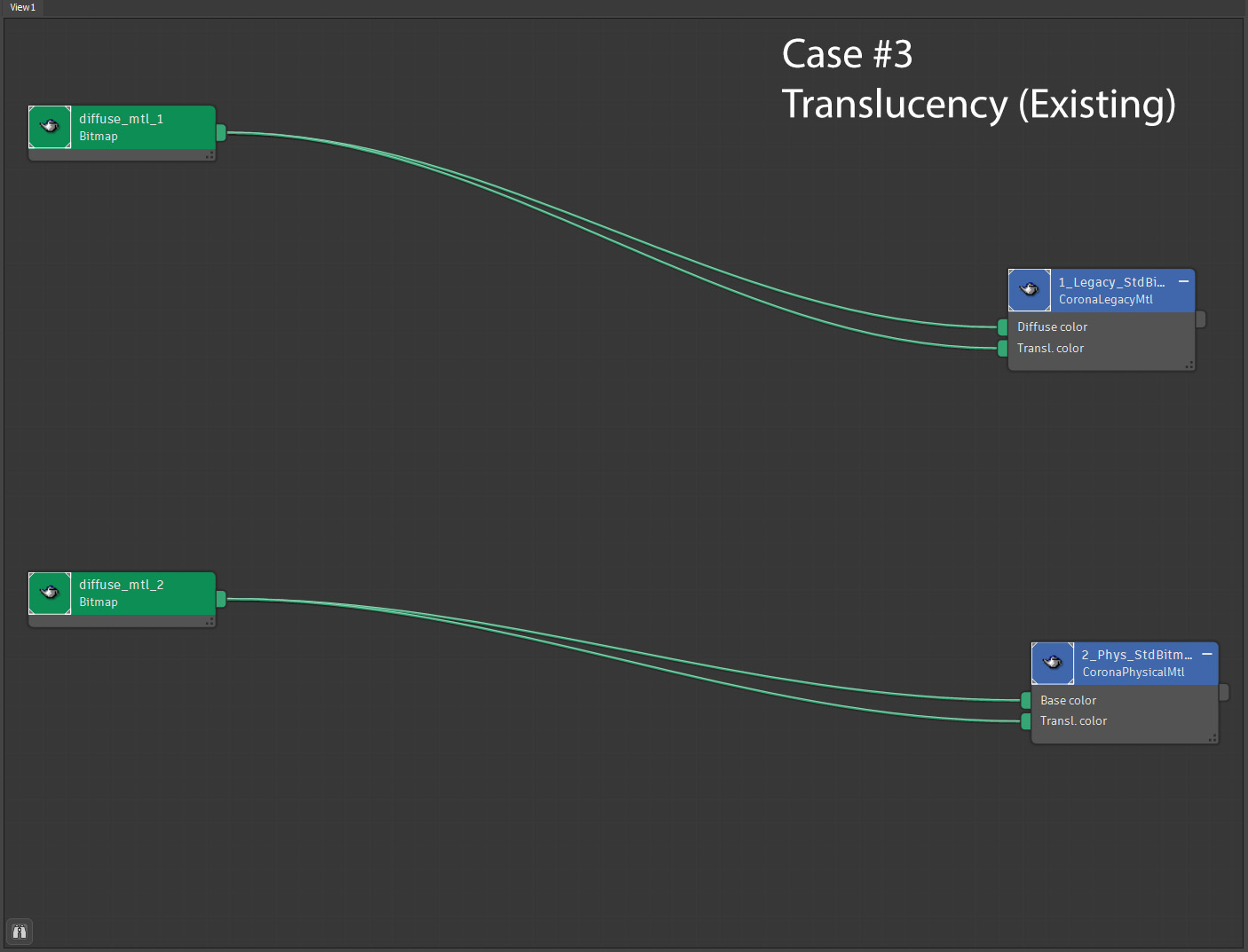
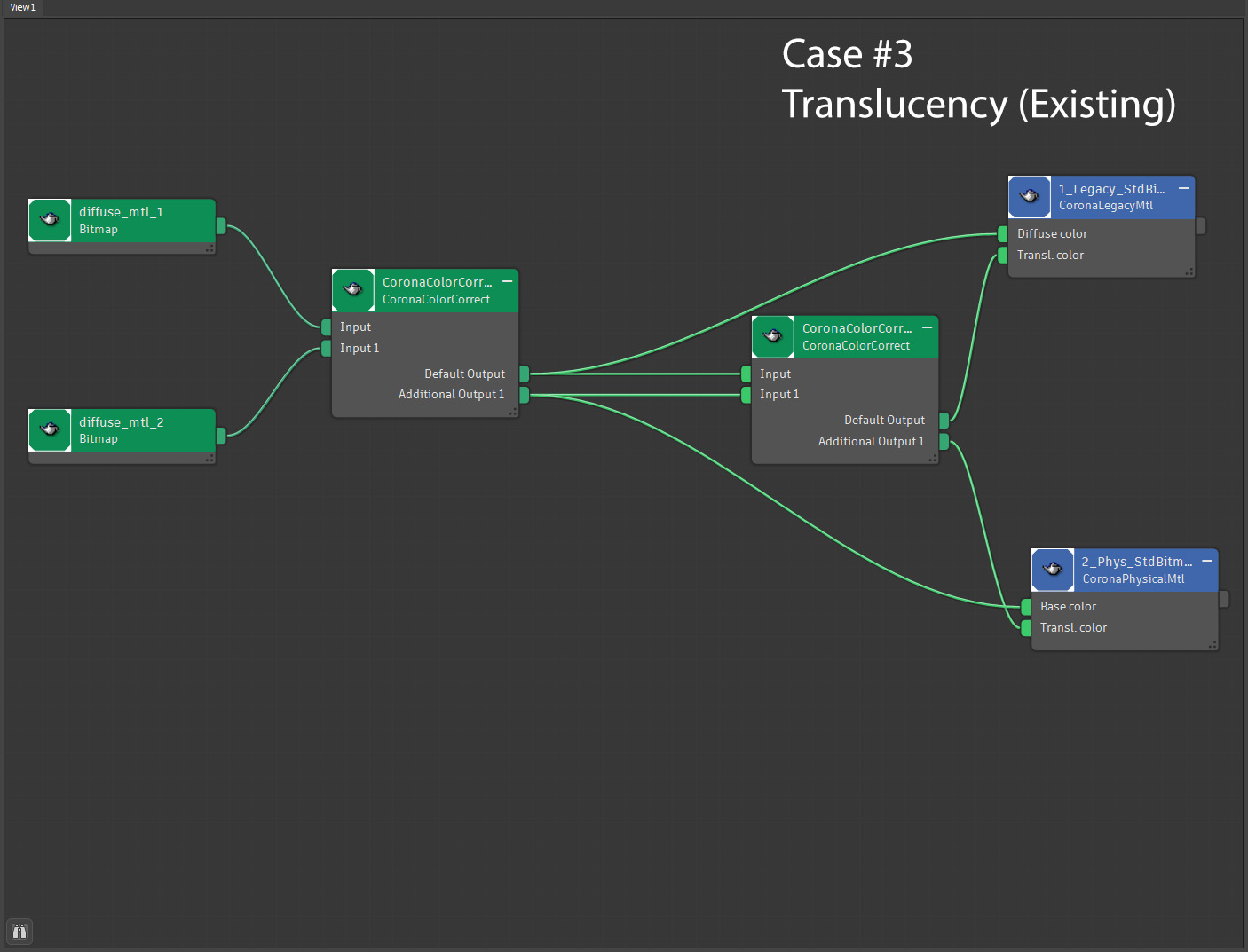
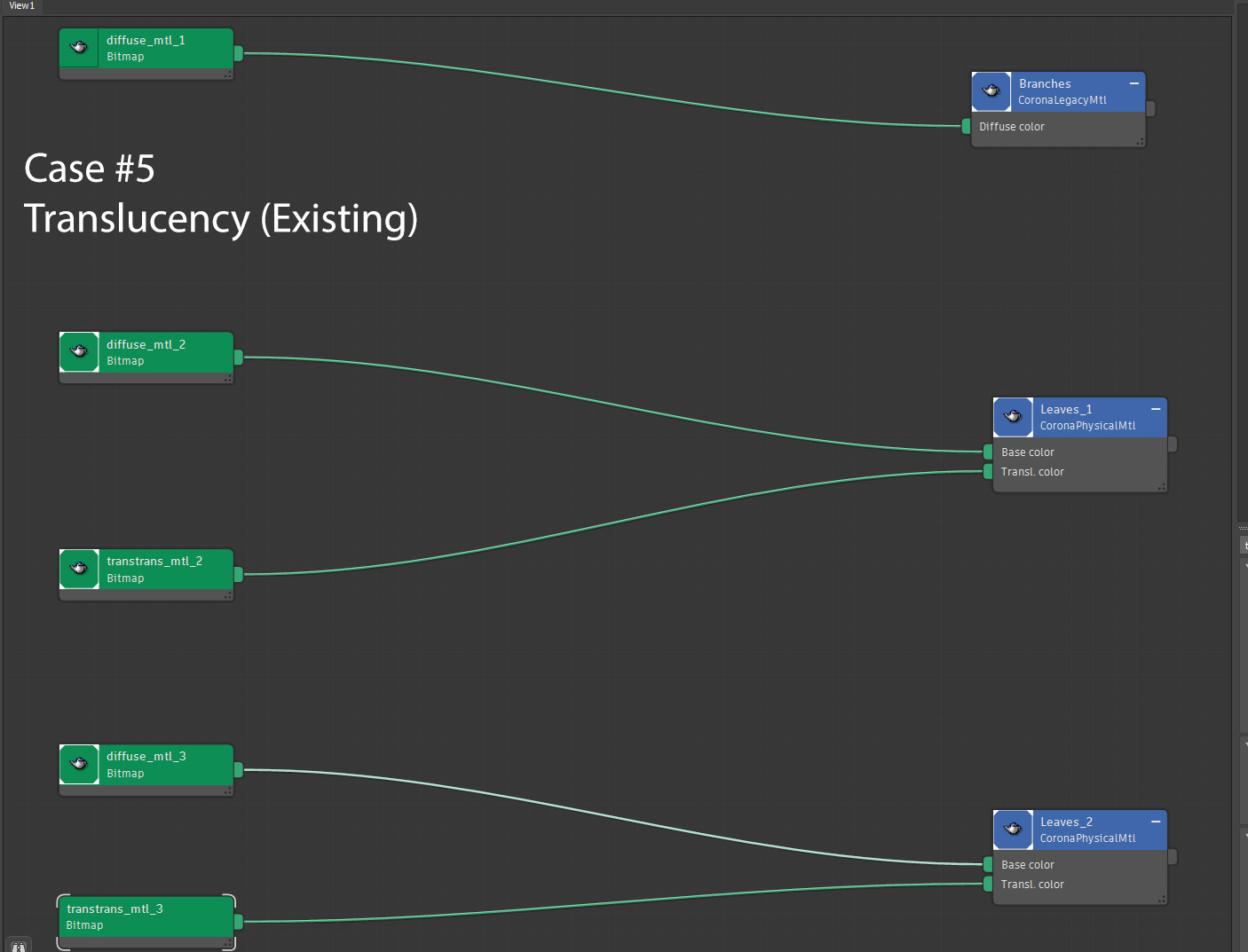
Translucency – Color Correct (Existing): This will take any of your previous translucency color textures and put them all into one Color Correct node.
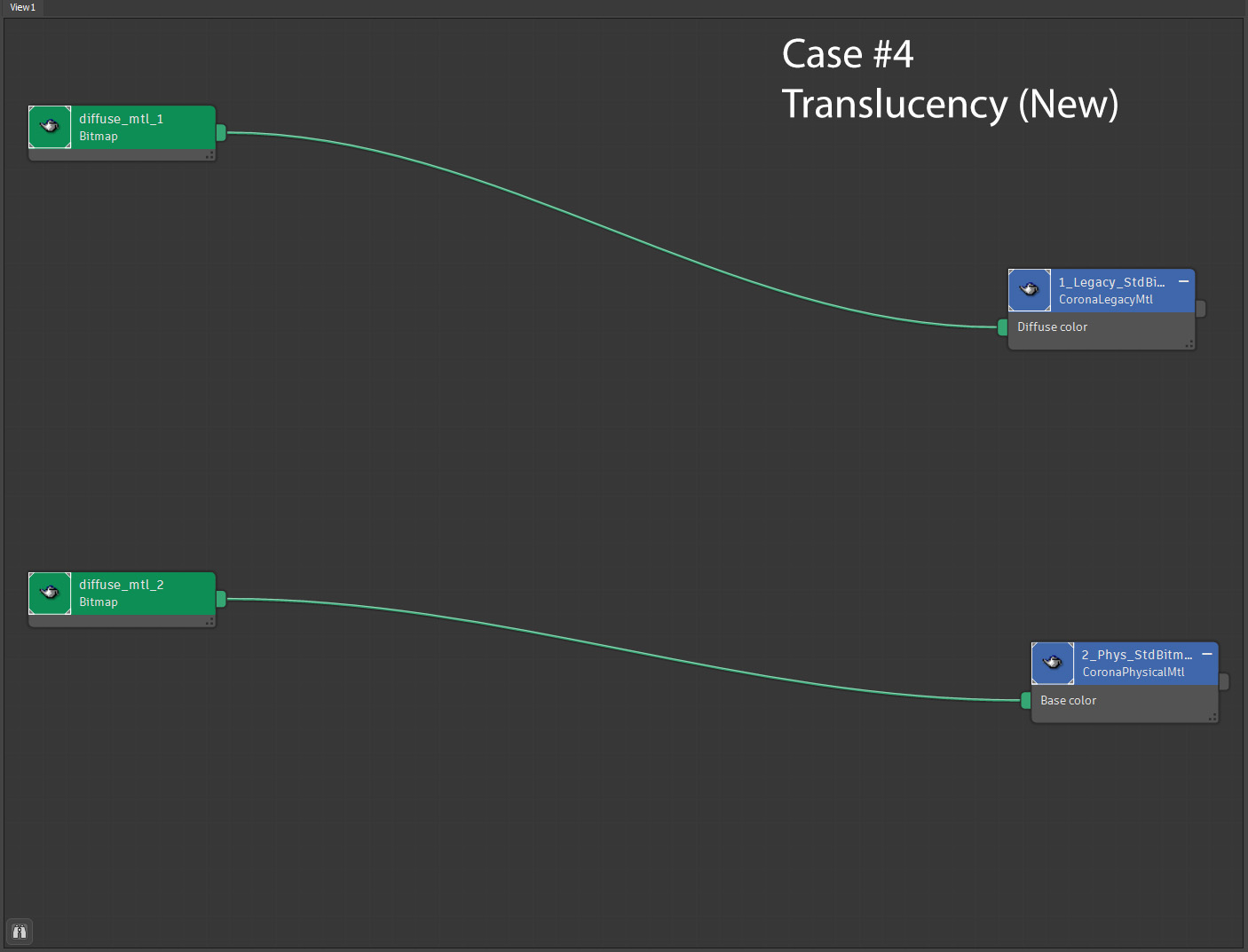
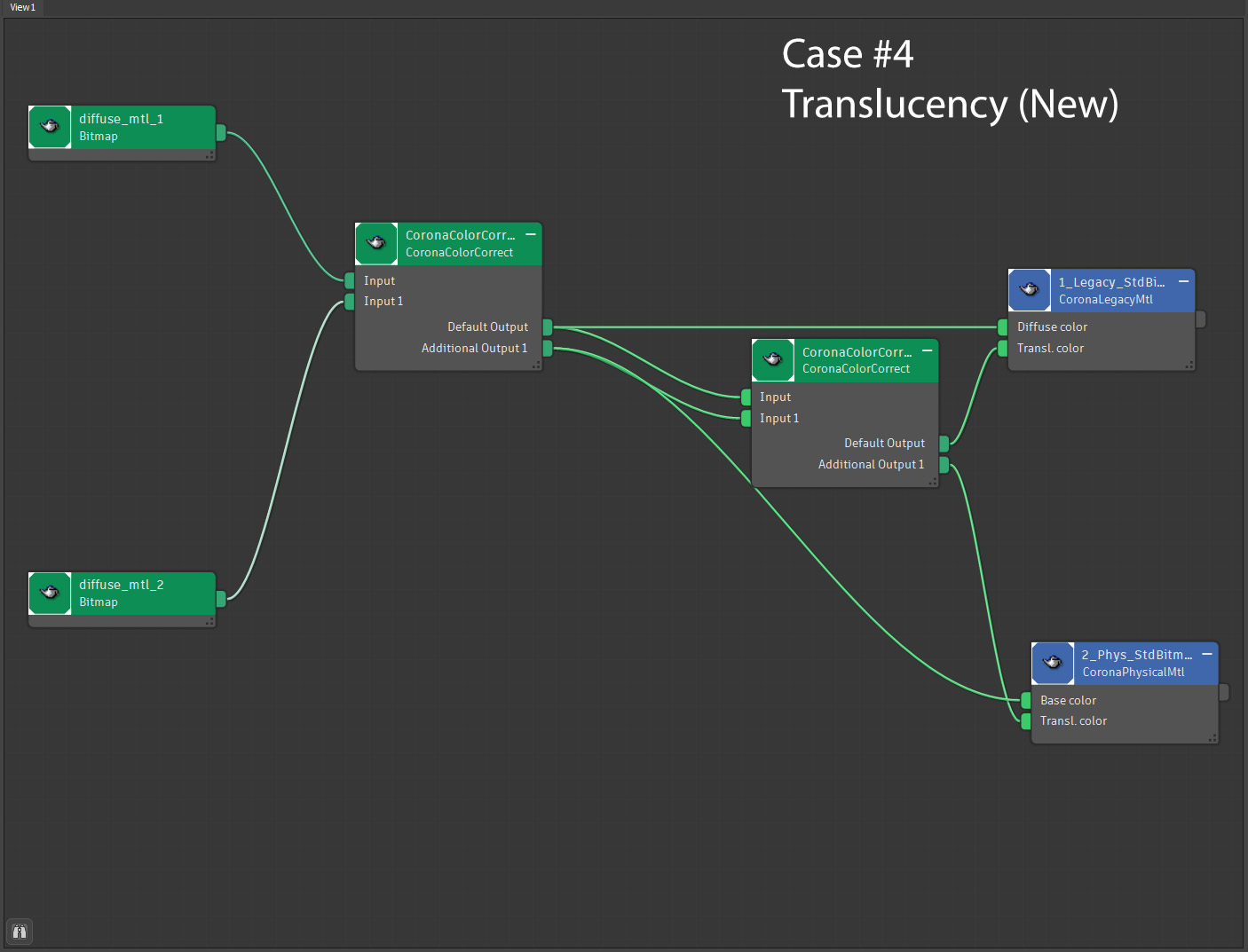
Translucency – Color Correct (New): If you dont have an existing Translucency Color node this will create one for you and do the same as Translucency – Color Correct (Existing).
UI
Case 1 Before/After:


Case 2 Before/After:
Case 3 Before/After:
Case 4 Before/After:
Case 5 Before/After Existing/After New (all 3 materials selected):


Leave a Reply