This was a user request from the Corona Forums so I’m also releasing it free for those who need to convert Corona Physical to Autodesk Physical materials. You are free to copy/delete/modify for your own needs. You cannot sell this or a modified version of this script.
Install:
- Download the maxscript here
- Drag the .ms file into your viewport
- 3dsmax Main Menu -> Customize -> Customize User Interface -> Toolbars -> Category -> Vella > Automate CoronaToPhysical
- Drag this Toolbar button to your toolbar menu
Supports:
- Base Color
- Roughness or Glossiness
- Anisotropy Amount / Rotation (hopefully, might need further testing as I have my doubts)
- IOR
- Metal
- Refraction (could be incorrect, still trying to work out how this works in Autodesk Physical)
- Thin Shell
- Opacity
- Emission / Self-Illumination
- Normal / Bump
- Normal_Bump, when ‘add gamma’ is used and texture is loaded as 2.2, automatically applies gamma 1.0 to Physical Normal_Bump texture
- Displacement
- Clearcoat Amount / Roughness / Bump / IOR
- Numerical values such as Base Color Amount, Roughness Amount, IOR value etc.
- Color swatches such as Base Color, Self-Illumination etc.
- Corona Bitmap to Standard Bitmap conversion
- All bitmap settings copied from Corona Bitmap (excluding the Output Curves)
- Keeps all nodes in the hierarchy eg. Diffuse > Falloff > Basecolor.png or Composite nodes etc. Doesnt really matter how deep the hierarchy goes it just searches for the Bitmaps/CoronaBitmaps
Notes:
- Applies conversion scene wide, not on selected objects.
Preview:
Corona Physical Material
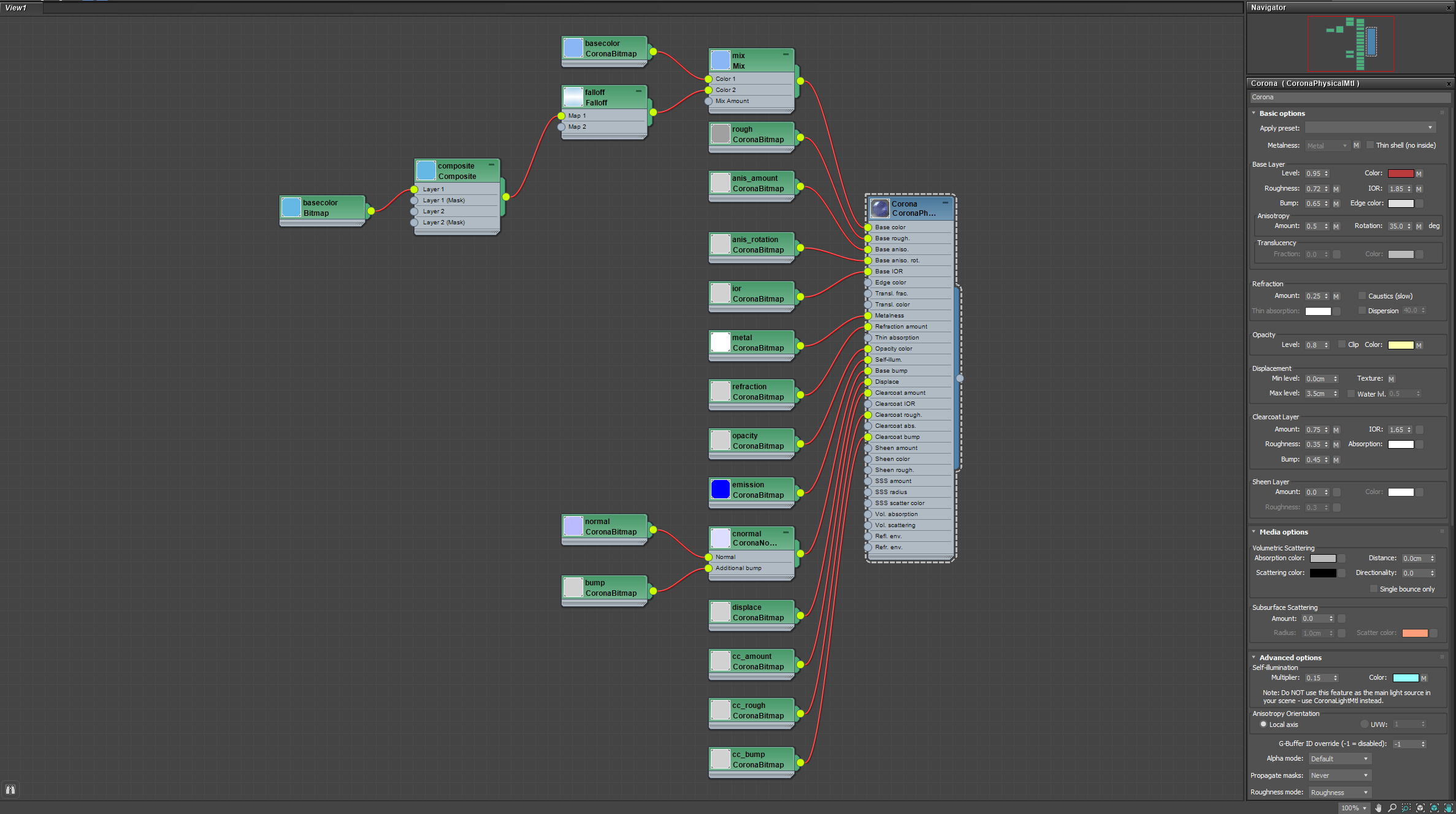
Autodesk Physical Material


Leave a Reply